- Customers are individuals or companies; essentially, it’s an entity with an identifier.
- Contracts are a customer’s specific resources (e.g., mobile vs. DSL, servers, domains, etc.).
- Tenants can distinguish between subsidiaries that could have clashing customer identifiers
💡 If you need time to prepare your API for sophisticated API resolution, begin with the Static resolver for IP-based resolution and upgrade to the API resolver when ready.Guardian Ops requires a customer identifier to process abuse reports. This can be achieved in two ways:
- API requests:
Guardian Ops can call your API with data from reports (e.g. IP address, timestamp when the event occurred, port, etc.) to retrieve the correct customer identifier and related information (customer, contract or tenant data). We strongly recommend this approach, especially for dynamic IP assignments or when additional metadata is needed. Oftentimes, IPs or domains change, but the fraudulent customer or contract stays the same. Abuse reports with changing IP addresses or domains that belong to the same customer can only be aggregated when using API customer resolution. - Static fields:
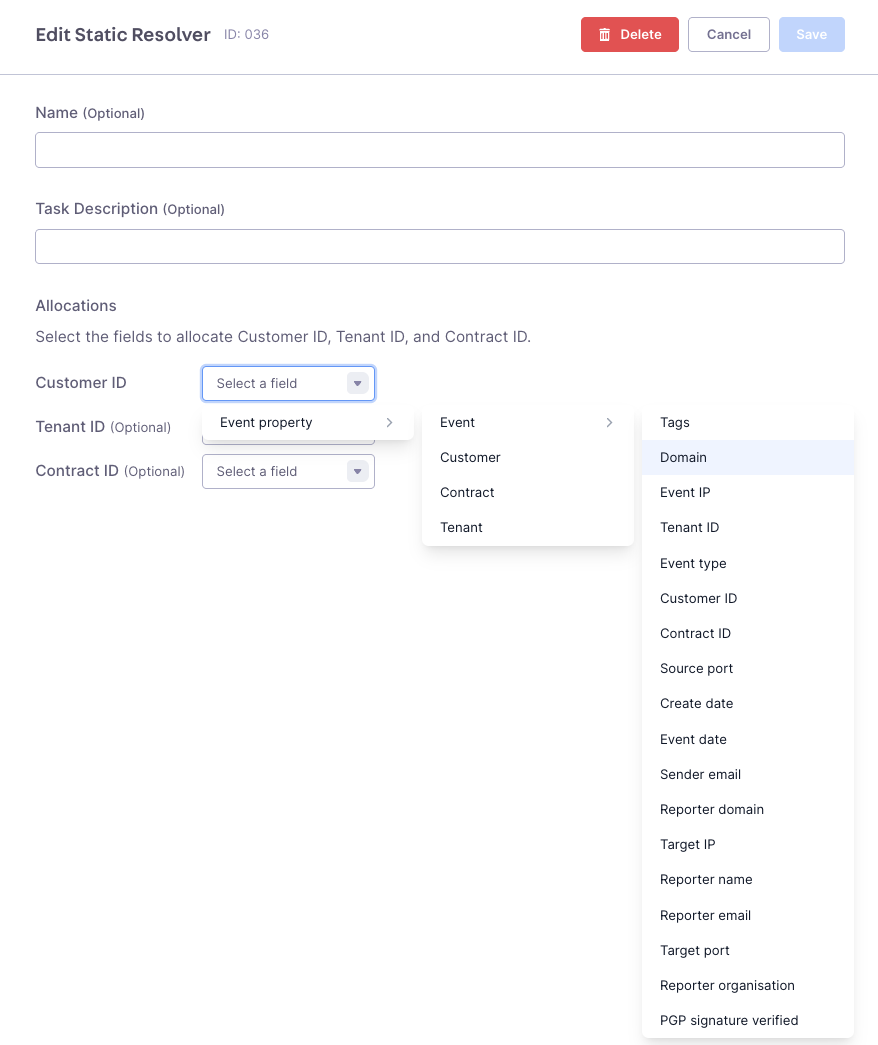
Guardian Ops maps values from any event attribute (IP addresses, domains, headers, etc.) to customer_id, tenant_id, and contract_id fields. If you cannot use resolution via API, we recommend to use static resolving using IP or domain.
- API Resolution
- Static Resolver
Customer Resolution via API provides the most flexibility, enabling dynamic resolution and customer enrichment. Most importantly, it aggregates abuse reports to the same customer even when IPs or domains change - tracking the fraudulent actor, not just their current infrastructure.
It allows you to pass information (such as the IP address, event timestamp, port, etc.) from an abuse report to your API endpoint. Your backend system (e.g., CRM or RADIUS) then returns the correct Customer Identifier and, if you want, other data that Guardian Ops can store.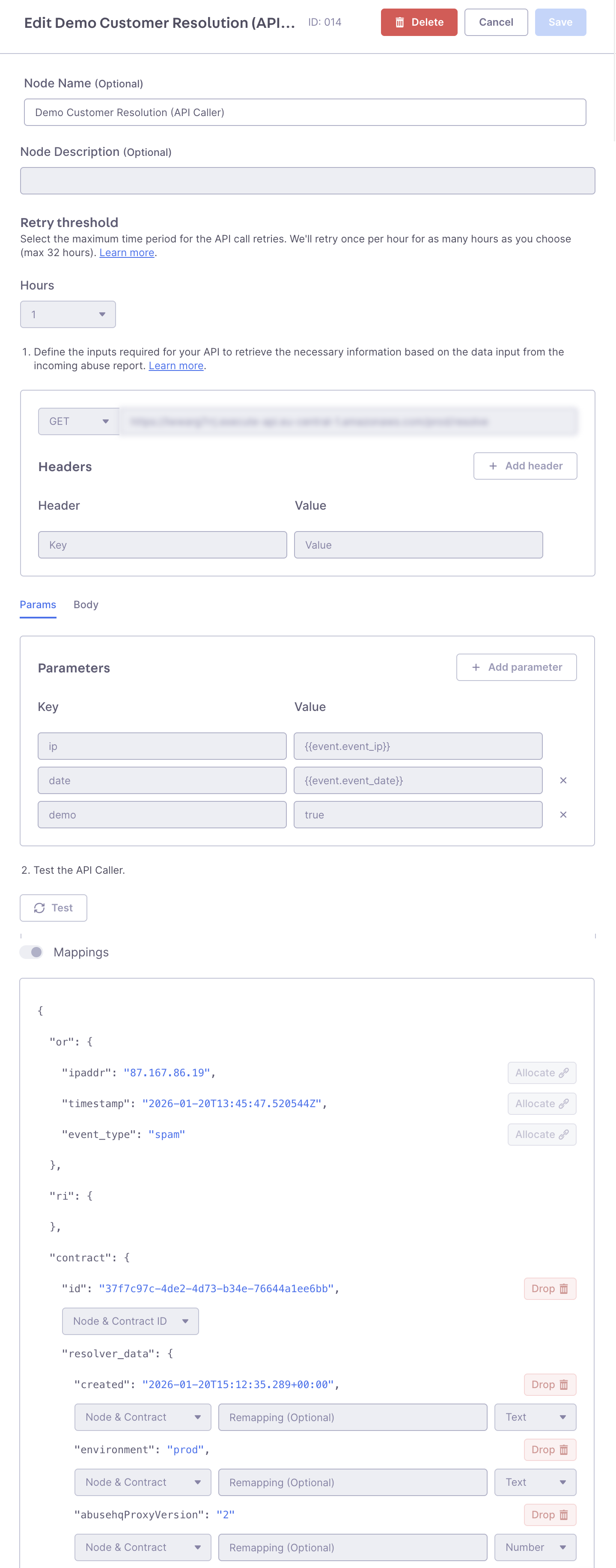
Common Use Case
Look up the customer assigned to an IP address at the time of an event using:IP addressEvent timestamp
How to Configure API resolution
- Go to app.abusix.com.
- Navigate to Settings → Guardian Ops → Inbound Processing
- Add an API Caller node to your workflow
- Provide the API endpoint and any parameters your API requires for resolution.
- Hit “Test” to test credentials and receive a response to configure the mapping. To set up customer resolution, assigning a customer ID is required. Contract ID, tenant ID or fields related to these entities are optional. -> Contracts can be used to split your customers to separate automation later. For example, use contracts if you want fine grained control on which contract of a customer should be handled in automation.
- Save and continue to edit or activate your new Inbound Processing draft.
⚠️ If your API is behind a firewall, ensure the following IPs are in your allowlists and not blocked by any firewall: 18.193.183.51 | 52.57.46.129 | 18.158.191.233
API Caller Configuration: Complete setup showing API endpoint configuration, parameter mapping, and customer resolution fields.