

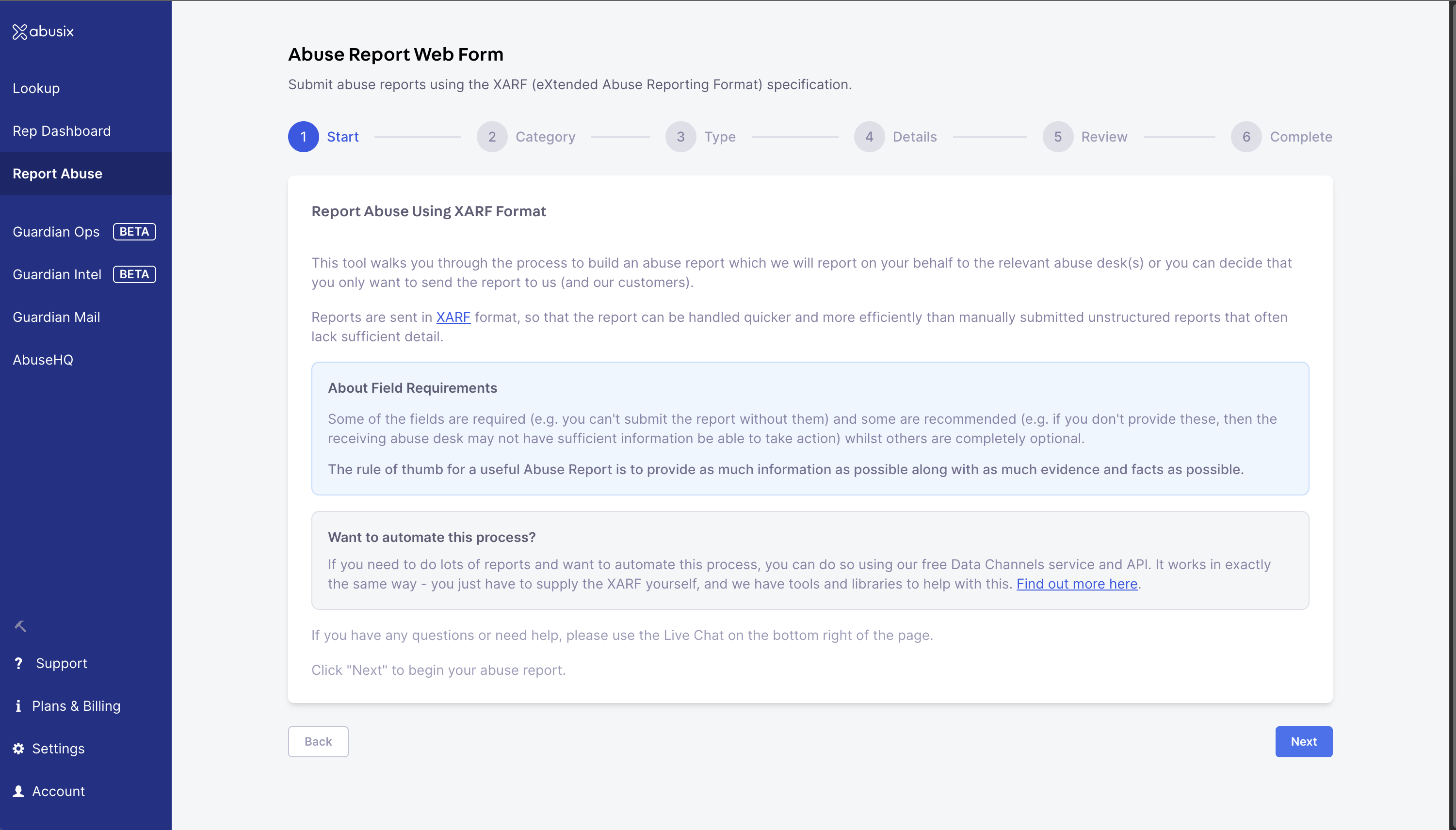
Report Abuse Form: A clear and easy-to-use interface for submitting abuse reports.
Reporting Process
The reporting wizard guides you through a few simple steps to ensure your report is complete and actionable.Note: By default, the form reports to us and abuse desks. If you deselect Global Reporting, the report will only come to us and our Guardian Ops customers if applicable.
1. Select Category and Type
First, select the category of the abuse you wish to report. In the next step, you will be asked to select the type of abuse. This ensures the report is routed correctly and contains the relevant data fields. For a complete collection of supported abuse types and their definitions, you can refer to the XARF Types Specification.2. Enter Details
Next, provide the specific details of the abuse. The form is dynamic based on the category you selected.- Mandatory Fields (*): Required to submit.
- Recommended Fields: Significantly increase the chance of action.
- Optional Fields: Provide additional context.
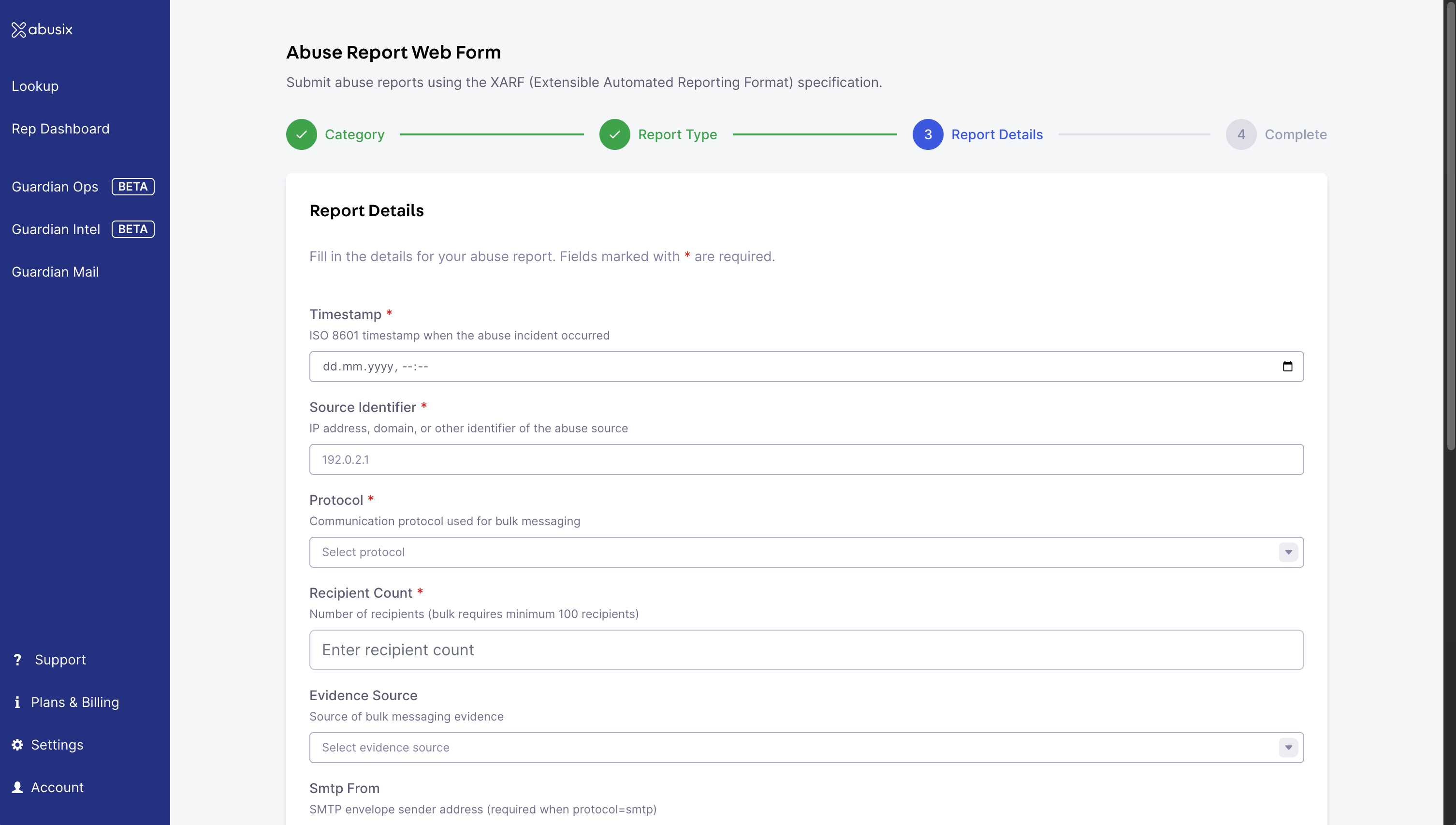
Enter Information: The wizard clearly indicates mandatory and recommended fields.
3. Confirmation
In the final step, you will see a confirmation summary of your report. You will also be presented with the generated XARF JSON that will be sent.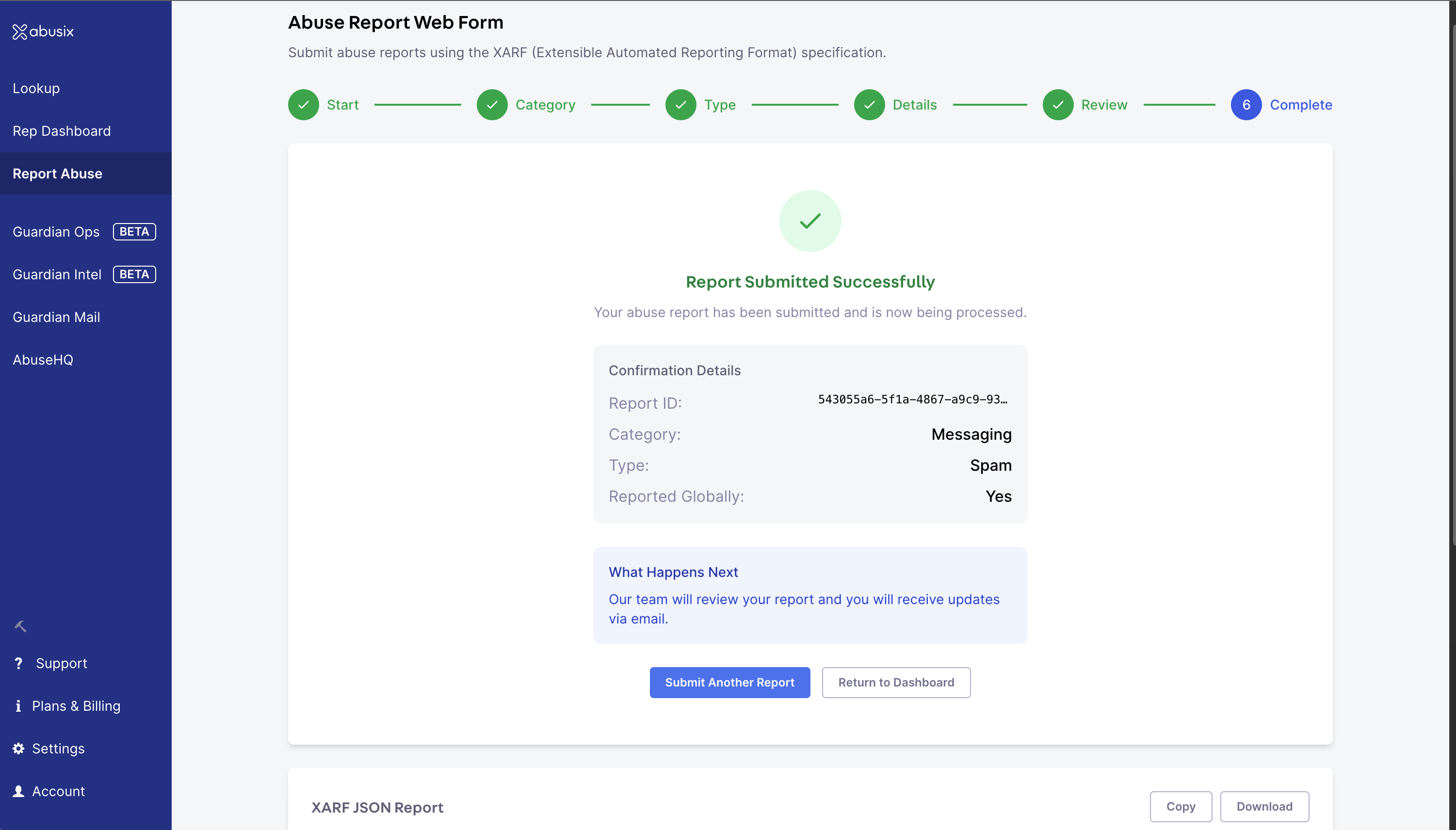
Submitted: Confirmation details and the XARF JSON that was sent at the bottom of the page.
Submission Policy
All reports must be submitted in good faith. By submitting a report, you confirm that the information provided is true and accurate to the best of your knowledge. Please be aware that misuse of this reporting system, including the submission of false or malicious reports, may result in service restrictions or potential legal consequences.FAQ
Do I need an account?
Do I need an account?
Yes, please create one at app.abusix.com.
Where can I create an account?
Where can I create an account?
You can create an account at app.abusix.com.
Where can I report abuse?
Where can I report abuse?
You can submit abuse reports directly via our Report Abuse Form.
What information is required?
What information is required?
Mandatory fields vary by abuse type. The form will guide you through the process and highlight which fields are required.
What should I not report?
What should I not report?
Please refrain from submitting the following types of information:
- Prohibited Content: in case of Child Sexual Abuse Material (CSAM) or similar illegal material, please contact your local law enforcement agencies immediately.
- Confidential Secrets: Proprietary, trade secret, or sensitive internal data that is not meant for public disclosure.
- Illegally Acquired Data: Any information obtained through hacking, exfiltration, or other illegal means.
Sending my report failed, what should I do?
Sending my report failed, what should I do?
If you experience any errors during submission, please reach out to us via the Intercom chat widget at the bottom right of your screen on app.abusix.com, or email us directly at [email protected].
How do I automate reports?
How do I automate reports?
If you need to do lots of reports and want to automate this process, you can do so using our free Data Channels service and API.