

Scope of trust
- Your account only. A certificate you add is trusted for the outbound calls of your account’s flows, such as the API Caller nodes in your inbound processing flow and in your playbooks, and for the API Caller’s Test button. It never affects other accounts.
- In addition to public trust. Publicly trusted authorities stay trusted. Adding a certificate never replaces them.
- Verification is always on. Abusix Ops has no option to disable certificate verification. If a connection fails verification, add the authority that issued the service’s certificate instead.
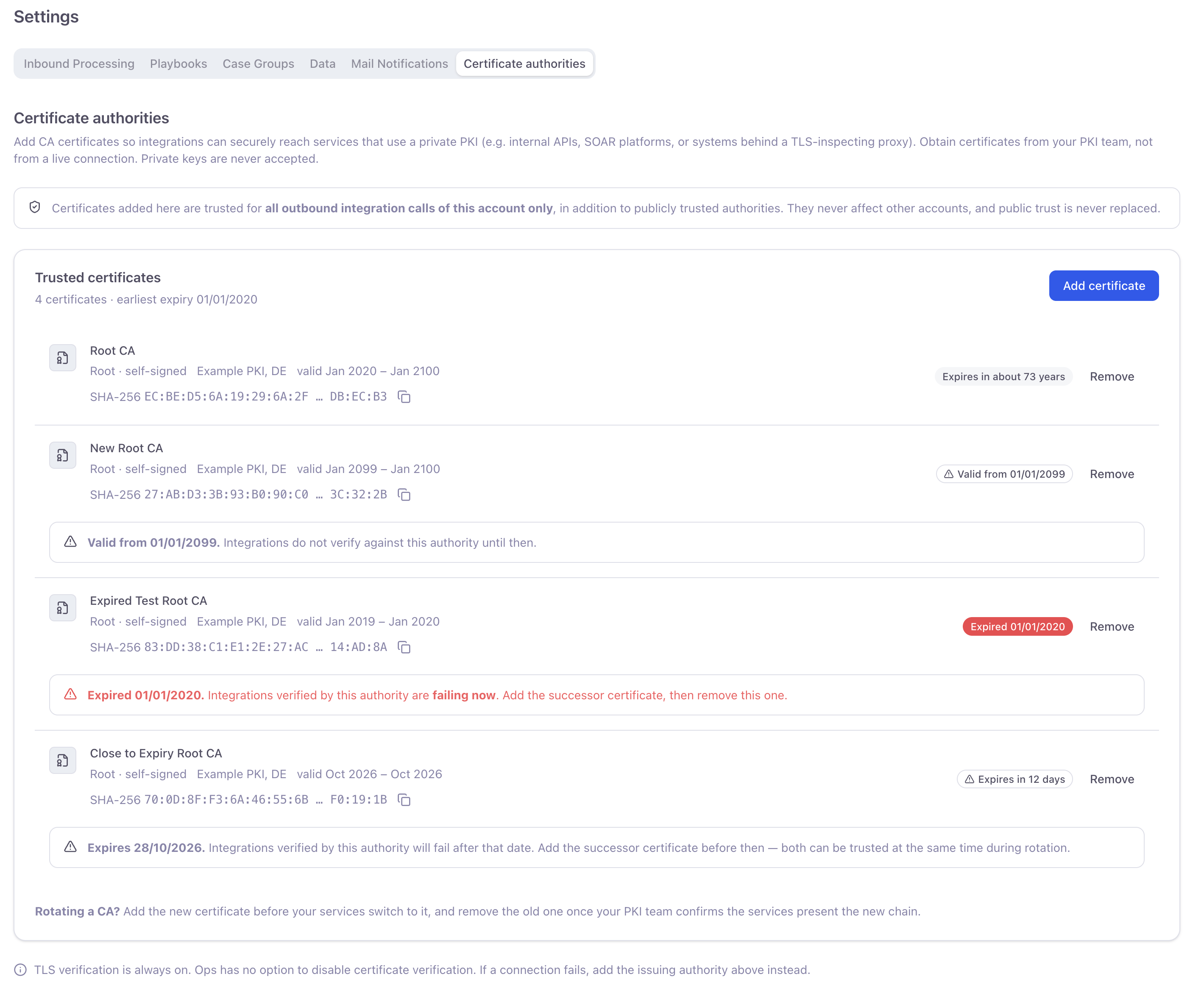
Certificate authorities: trusted certificates with their expiry state.
What to provide
Add the certificate of a certificate authority: the root CA of your private PKI, or the intermediate CA that issued your service’s certificate.- One certificate per upload, in PEM format: a text block that starts with
-----BEGIN CERTIFICATE-----and ends with-----END CERTIFICATE-----. A file can be at most 16 KiB. - A CA certificate, not a server certificate. The certificate a service presents for its own hostname is not accepted; add the authority that issued it.
- Never a private key. A private key is never needed and is never accepted, also not in the same file as the certificate.
- Not expired. An expired certificate is rejected. A certificate that is not valid yet is accepted, so you can add a successor ahead of a rotation.
Obtain the certificate from your PKI team
Ask the team that runs your private PKI for the CA certificate, in PEM format. Don’t copy the certificate from a live connection to your service, for example from your browser or a command-line client. A connection shows whatever certificate chain the other end presents, which can be a proxy’s or an attacker’s chain rather than your PKI’s, so trusting it could let a third party read your integration’s traffic.Add a certificate
- Go to Certificate authorities and click Add certificate.
- Enter a name that helps you recognise the certificate later, for example
Example Corp Root CA 2026. - Paste the PEM text into the certificate field, or load it from a file.
- Click Add certificate.
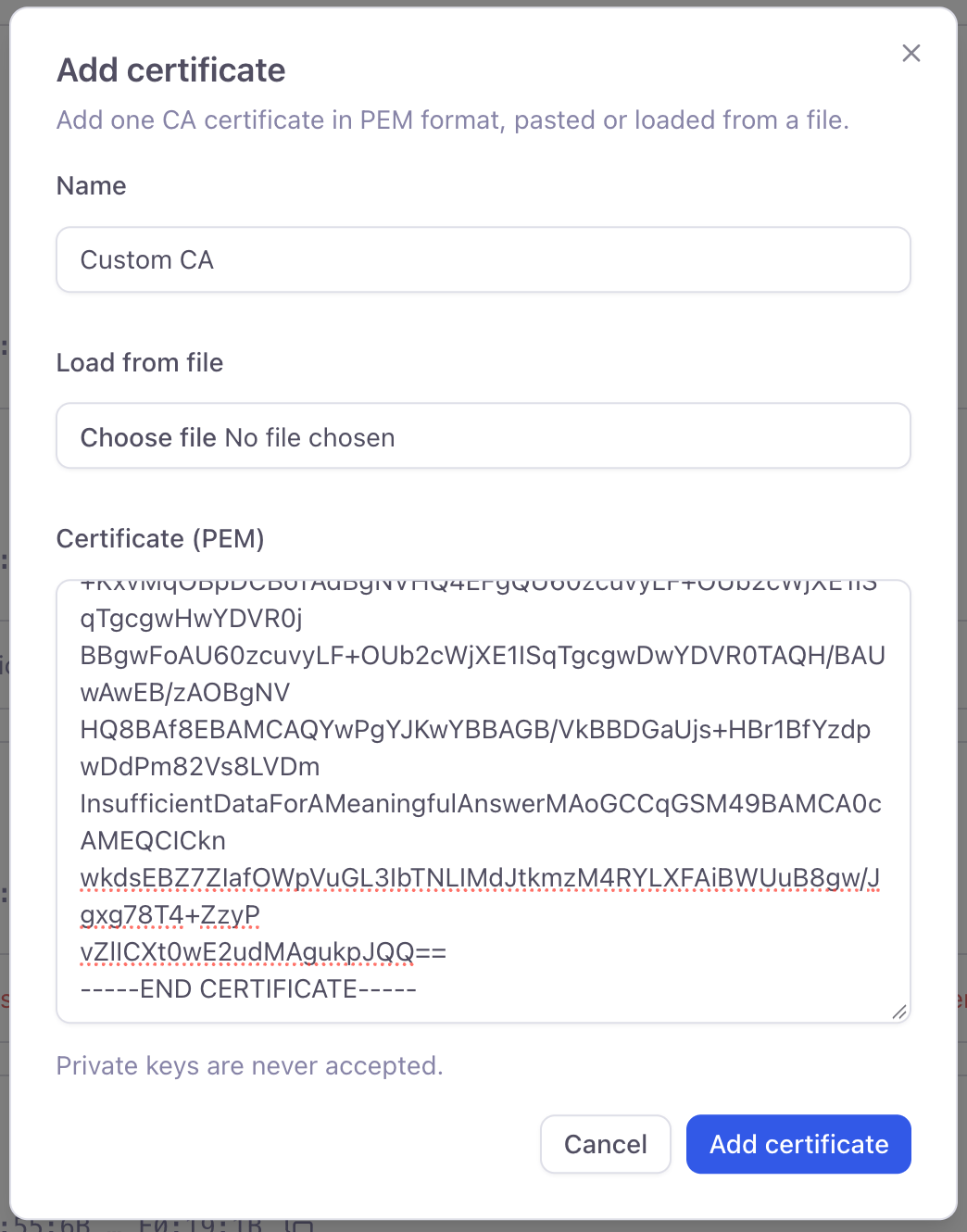
Add certificate: a name and one CA certificate in PEM format.
When changes take effect
A certificate you add or remove reaches your flows that are already running within a few minutes, without republishing them. The API Caller’s Test button uses your current certificates right away.Expiry and rotation
Every certificate shows its expiry state. The card also shows the earliest expiry of all your certificates.
To rotate a certificate authority:
- Add the new certificate before your services switch to it. Both certificates are trusted at the same time.
- Once your PKI team confirms that your services present the new chain, remove the old certificate.